
Key facts
| Topic | Signal Blocks AI |
|---|---|
| Versions | 27.3 |
What happened
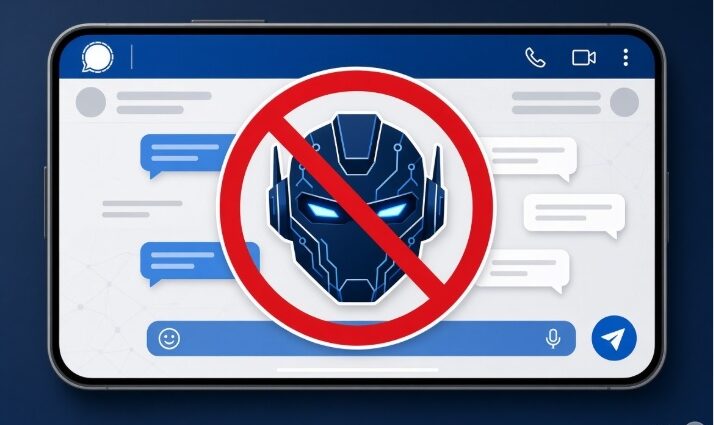
Signal announced today that it is introducing Signal AI Blocking protections on Android and iOS 27 to stop AI assistants from reading on-screen chat content. The app now blocks screenshots inside Signal so Gemini, Siri, and similar tools cannot capture private conversations by scanning the display.
AI assistants are increasingly doing things on our phones that would previously require us to open an app ourselves. Apple’s Siri AI can understand what’s on your iPhone’s screen, and Android equivalents can do the same with Gemini and other agents. Signal wants those assistants to stay out of private conversations, so it is blocking the ability to take screenshots in the app.
In plain English
When an AI assistant tries to look at what is currently displayed, Signal refuses to let the screen be captured as an image. That image would otherwise let the assistant read the messages. The block is automatic on Android when the app detects such an attempt, and the same idea applies on iOS 27. Think of it like covering a confidential document the moment someone points a camera at it, even though the paper is still on the desk.
Who’s affected
The protections apply to Signal on Android and iOS 27 (official version 27.3). They target Gemini and other Android AI assistants that read on-screen content, plus Siri on iOS. Home users and anyone who chats on Signal are in scope; the app itself enforces the restriction.
On Android, Signal will automatically enable its Screen security setting when it detects an AI assistant attempting to read your screen. The protections also block users from taking screenshots inside Signal, but they can be disabled. Users can restore screenshot capabilities in Signal’s app settings, but Whittaker warns that doing so will “potentially expose your (and your contacts’) Signal content to these AI agents, and break our privacy guarantees.” Whittaker admits that Signal’s screenshot-blocking remedy is “incomplete,” as it doesn’t address alternative ways that AI agents can access app data, such as retrieving it via the device file system.
Signal is calling on Google, Apple, and Microsoft to give app developers better tools to restrict AI access without compromising app functionality. Until those tools exist, the current approach is the available option.
What to do now
Home users can leave the default block in place. If you need screenshots, open Signal’s app settings and restore the capability, knowing the warning about exposure to AI agents. IT teams managing fleets should note the automatic Screen security behavior on Android and the fact that the measure can be turned off per device. No broader configuration or patch steps have been confirmed beyond these settings.
Timeline
- Today: Signal announced it is introducing protections against AI assistants capturing its content on Android and iOS 27 (version 27.3).
No earlier disclosure date, exploitation report, or confirmed fix timeline appears in the available details. The announcement itself is the sole dated item.
Our take: Signal AI Blocking gives users a practical way to keep current assistants out of chats by stopping screen capture, yet the incompleteness Whittaker described means file-system or other side channels remain open. We will watch whether Google, Apple, and Microsoft respond with the developer controls Signal requested, because that is what would close the remaining gaps without forcing users to choose between screenshots and privacy.
Sources: Theverge, Androidauthority, The Register, Androidpure